Tampilkan postingan dengan label build. Tampilkan semua postingan

AIMP v4 00 build 1687

Requirements:
  • Windows XP SP3 / Windows Vista / Windows 7 / Windows 8 (8.1) / Windows 10. 
AIMP adalahaplikasi pemutar musik ringan, tapi kuat dan dapat diandalkan multimedia player, yang menggunakan sumber daya sistem minimal. AIMP adalah sebuah alternatif untuk dikenal dan digunakan secara luas Winamp. Mediaplayer - multimedia bermain kualitatif dan murni dari file, termasuk mp3; facilitys baik, ukuran kecil dan menggunakan minimal sumber daya sistem.

Multiformat Playback: 
CDA, .AAC, .AC3, .APE, .DTS, .FLAC, .IT, .MIDI, .MO3, .MOD, .M4A, .M4B, .MP1, .MP2, .MP3,.MPC, .MTM, .OFR, .OGG, .OPUS, .RMI, .S3M, .SPX, .TAK, .TTA, .UMX, .WAV, .WMA, .WV, .XM

Output supports: 
DirectSound / ASIO / WASAPI / WASAPI Exclusive

18-band equalizer and built-in sound effects:
Reverb, Flanger, Chorus, Pitch, Tempo, Echo, Speed, Bass, Enhancer, Voice Remover

32-bit audio processing For the best quality!

==> Download AIMP V4.00 B 1687.rar.


Read More..

K Lite Codec Pack Mega 11 9 0

Versi terbaru dari K-Lite Codec Pack update 29 Januari 2016 untuk 32 bit maupun 64 bit.
Changelog:
  • Updated MPC-HC to version 1.7.10.86
  • Updated LAV Filters to version 0.67-69-g71fa8
  • Updated Codec Tweak Tool to version 6.0.4
  • Updated MediaInfo Lite to version 0.7.82
==>  Download K-Lite Codec Mega 11.9.0.rar.

Read More..

Mozilla Firefox 44 0 Final

 
Firefox merupakan browser yang paling populer di Dunia, yang digunakan oleh jutaan orang. Ia menawarkan keamanan yang besar, privasi, dan perlindungan terhadap virus, spyware, malware dan juga dapat dengan mudah memblokir jendela pop-up. Versi terbaru adalah sangat disesuaikan, mendukung add-ons dan ekstensi dan setiap profil peramban dapat dikonfigurasi dengan pengaturan yang berbeda.

==> Download Firefox 44 Final X64. 

==> Download Firefox 44 Final X86.

Read More..

AIMP V2 0 0 Build 263 apk

Kali ini saya bagikan aplikasi pemutar musik buat android kesayangan kita.
Ya. AIMP untuk android versi terbaru ini bisa dibilang cukup bagus dalam memainkan musik kesayangan.
Requirements:
  • OS: Android 4.x / Android 5.x / Android 6.x
  • CPU: ARMv6 / ARMv7 / x86
Multi-format Playback
.APE, .MP3, .WAV, .OGG, .MPGA, .UMX, .MOD, .MO3, .WV .IT, .S3M, .MTM, .XM, .FLAC,
.MP4, .M4A, .M4B, .MPC, .AAC, .OPUS, .DSF, .DFF, .TTA
    ==>  Download AIMP 2.0.0 build 263.apk.

    Read More..

    ROM Toolbox Pro 5 9 8 Build 599 UPDATE apk v5 9 8

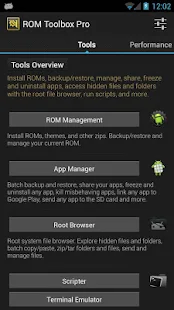
    ROM Toolbox combines all the great root apps into one monster app with a beautiful and easy to use interface. ROM Toolbox has every tool you need to make your Android device fast and customized to your liking. Save 85% by getting ROM Toolbox instead of spending $30 or more on other apps


    Size: 8.6 MB
    Android Requires : 2.0+

    More Info on Google Play:
    https://play.google.com/store/apps/details?id=com.jrummy.liberty.toolboxpro


     ROM Toolbox Pro - screenshot thumbnailROM Toolbox Pro - screenshot thumbnailROM Toolbox Pro - screenshot thumbnailROM Toolbox Pro - screenshot thumbnailROM Toolbox Pro - screenshot thumbnailROM Toolbox Pro - screenshot thumbnailROM Toolbox Pro - screenshot thumbnailROM Toolbox Pro - screenshot thumbnailROM Toolbox Pro - screenshot thumbnailROM Toolbox Pro - screenshot thumbnailROM Toolbox Pro - screenshot thumbnailROM Toolbox Pro - screenshot thumbnailROM Toolbox Pro - screenshot thumbnail

    Whats New
    <b>Whats New:</b>
    - Fix reading sqlite databases
    - Fix bad permissions when restoring fonts
    <b>Coming Soon:</b>
    - Revamped ROM Manager
    - Improved backups (fixing bugs)
    - Looking into font installing issues. Please send reports.
    ROM Toolbox has been featured on LifeHacker, XDA-Developers, Droid-Life, Android Central, RootzWiki, Android Police, DroidForums and other popular sites. We know you will love it; Over 14,000 people gave it a full 5 star review! ★★★★★
    This app requires root permission. For fast and friendly support please email us at jrummy.apps@gmail.com. We will be glad to help answer your questions or concerns.
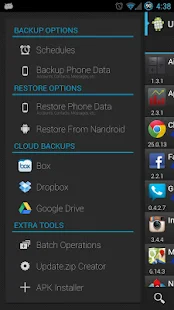
    ROM Toolbox combines apps like Titanium Backup, ROM Manager, Root Explorer, SetCPU, Ad Blocker, MetaMorph, Autorun Manager, Terminal Emulator, Script Manager, SD Booster, BuildProp Editor, Font Installer, Boot Animation Installer & many more apps into an all-in-one app! Here is a list of some of the features you will find:
    ★ ROM Management ★
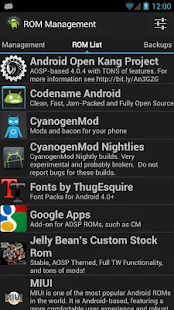
    ☆ Install ROMs & themes from a growing list of ROMs. AOKP, CyanogenMod and other popular ROMs included.
    ☆ Create, manage & restore nandroid backups
    ☆ Wipe data, cache, dalvik-cache, battery stats
    ☆ Install multiple ROMs & ZIPs from your SD card
    ★App Manager ★
    ☆ Batch backup & restore apps and their data
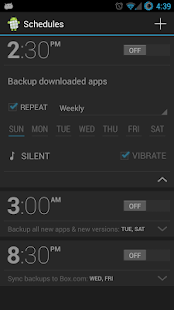
    ☆ Schedule backups to run at a certain time
    ☆ Restore apps from nandroid backups
    ☆ Backup/Restore text messages, bookmarks, accounts, etc.
    ☆ Backup your apps to dropbox
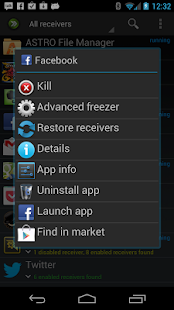
    ☆ Freeze/Defrost system & user apps 
    ☆ Backup/restore Android Market link 
    ☆ Task manager
    ☆ Automated batch uninstaller
    ☆ E-mail your apps to friends
    ☆ Move any user app to the SD card 
    ☆ Clean up dalvik-cache 
    ☆ Zipalign, fix permissions, wipe data & cache, force close any app
    ★Root Explorer ★
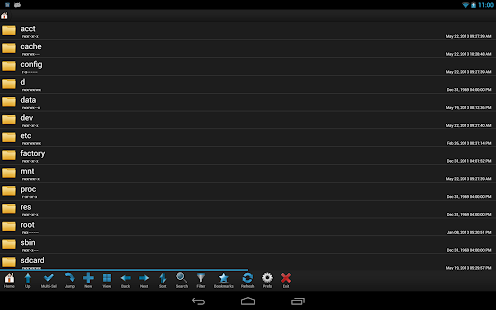
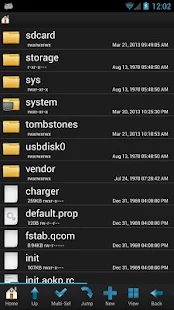
    ☆ Access the whole of androids file system (including the elusive data folder!).
    ☆ Batch copy/paste, zip, tar, delete, move any file or folder
    ☆ Change file permissions and ownership
    ☆ View, edit & share files
    ☆ File manager with two panels for easier management
    ★ Scripter & Terminal Emulator ★
    ☆ Create and run scripts as root
    ☆ Set your scripts to run at-boot
    ★ Auto Start Manager ★
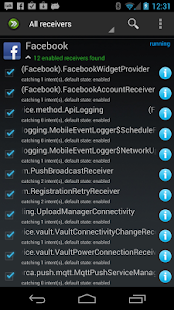
    ☆ Enable/disable apps that run on start-up
    ☆ Enable/disable any broadcast receiver, activity or service
    ★ Rebooter ★
    ☆ Reboot recovery, powerdown, bootloader, restart status bar, etc.
    ★ Font Installer ★
    ☆ Install custom fonts from a huge list or from your sdcard
    ☆ Set fonts as favorites & send them to friends
    ★ Boot Animation Installer ★
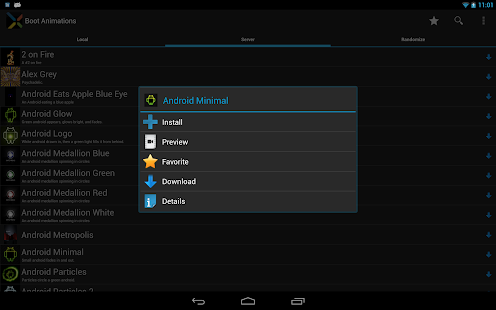
    ☆ Install custom boot animations from a huge collection or from your sdcard
    ☆ Preview boot animations
    ☆ Create a boot animation from a GIF file
    ☆ Have a new random boot animation each time you boot-up!
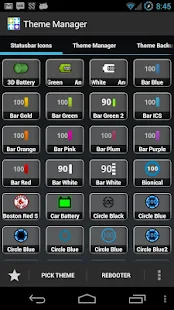
    ★ Theme Manager & Statusbar Icon Changer ★
    ☆ Create and install full themes (MetaMorph compatible)
    ☆ Customize your status bar by installing custom icons for wifi, signal, gps, etc.
    ☆ Change your battery icons in the status bar to a custom one from a list of 200+
    ★ Boot Logo Changer ★
    ☆ Change your boot logo for supported phones
    ★ Theme Chooser Themes ★
    ☆ View a list of themes for the TMobile Theme Chooser
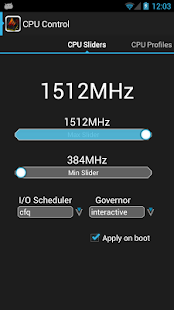
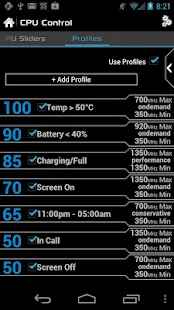
    ★Set CPU★
    ☆ SetCPU & scaling governor
    ☆ CPU Profiles
    ☆ Kernel tweaks to speed up performance
    ★ Build.prop Editor ★
    ☆ Easily edit your build.prop
    ☆ Change lcd density, improve battery life, increase performance
    ★ Auto Memory Manager ★
    ☆ Set minfree values & select from presets. Apply values at boot
    ★ SD Booster ★
    ☆ Increase the speed of your SD card
    Permissions
    Contacts - Backup call log and sms
    SMS - Backup call log and sms
    Accounts - Backup and restore from Google Drive

    Instructions:
    1. Remove previous version including data first.
    2. Clear Data to Luckypatcher, and run LuckyPatcher the custom patch will be saved to /sdcard/LuckyPatcher/
    3. Install new version and dont run ROM toolbox pro, then use Lucky Patcher to remove the protection via custom patch
    4. Reboot Phone
    How To Download In
    How To Download In
    How To Download In
    How To Download In
    how-to-download-in-tusfiles
    Read More..